


What Is a QR code? The Only Guide You Need
A QR code, which stands for Quick Response code, is a two-dimensional square barcode. It’s made up of many small black and white squares that look like a randomly tiled mosaic. QR codes can store a lot more information than barcodes and are simple to scan and process.
Table of Contents
A short history of QR codes
Denso Wave, a Japanese company, invented QR codes in the 1990s. It was a division of Denso Corporation. A global component manufacturer that was formerly a division of Toyota Motors. The company used the codes to track parts during the manufacturing process. The term “quick response (QR)” was created by the inventors to emphasize rapid reading.
The fact that the new codes could store more information than barcodes. Another factor that contributed to the rapid spread of QR codes was Denso’s decision. They did not use their patent on the invention and made the specifications available for free.
Two-dimensional barcodes have been used outside of manufacturing since their invention. They’re used to track supplies and products in the industries. The ability to scan and process with a smartphone has expanded the QR application. Advertisers use them to encrypt URLs and product coupons on websites. Concert and sporting event organizers include them on tickets.
The coronavirus (COVID-19) pandemic has given QR codes a new lease on life. The ability to scan the code from your smartphone without contact or type is a huge plus.
Advantages of QR codes
Two-dimensional codes have the advantage of storing more information than barcodes. Another advantage is that they are simpler to scan and make fewer mistakes. The following sections go through these benefits in better detail:
- Information capacity – Traditional barcodes can hold up to 20 digits. QR codes can accommodate hundreds to thousands of times more data in various formats.
- Ease of scanning – You’ll need specialized equipment to scan and read barcodes. A QR code can now be scanned and decoded by anyone with a modern smartphone. This capability has resulted in a significant increase in the use of QR codes in various settings.
- Error reduction – Barcodes can cause errors, but this does not happen very often. This is something that buyers can encounter at the checkout. The scanner could pick up on something completely different. For QR codes, this occurs much less often. Since they have more data space, they have more room to include fail-safes.
- Security – By encrypting the information in a QR code, it is possible to make it private. Only those with the appropriate cryptographic key and scanner can read the data
How do They Work?
Barcodes can only read in one direction. Scanners can read QR codes in both vertical and horizontal orientations.
The pattern of a QR code appears to be devoid of shape or structure to the naked eye. Different areas of the mosaic yet, mean other things to the QR scanner. There are several sections to the encoded data field, including:
- Quiet zone: The white space surrounding the image confirms that it is a QR code.
- Finder pattern: The code has three squares at the upper left, top right, and bottom left. It helps the scanner in recognizing and orienting a QR code.
- Separators: These typically white regions, around the thickness of a small square, help the scanner identify the finder pattern from the rest.
- Timing pattern: Pattern, which is made up of lines of alternating black and white squares, tells the QR scanner how big the squares are so that it can classify them individually.
- Alignment pattern: A small square near the bottom right corner is commonly used for this pattern. It ensures that the QR scanner can read the code even if the image is slightly distorted or misaligned.
- Format and version information: These sections provide information about the type of QR code used in the pattern. They tell the scanner, for example, how much error correction and what kind of masking pattern to use when decoding.
What Can You Put in a QR Code?
QR codes have a high storage space, allowing them to store a wide range of data. A portion of the code specifies the type of data it contains to the scanner. The following is a list of some of the most popular smartphone applications. Depending on the settings in the smartphone’s scanning app, the associated destination may appear immediately.
- Website address: Scanning a product’s QR code in a store, for example, will take you to a website where you can learn more about it.
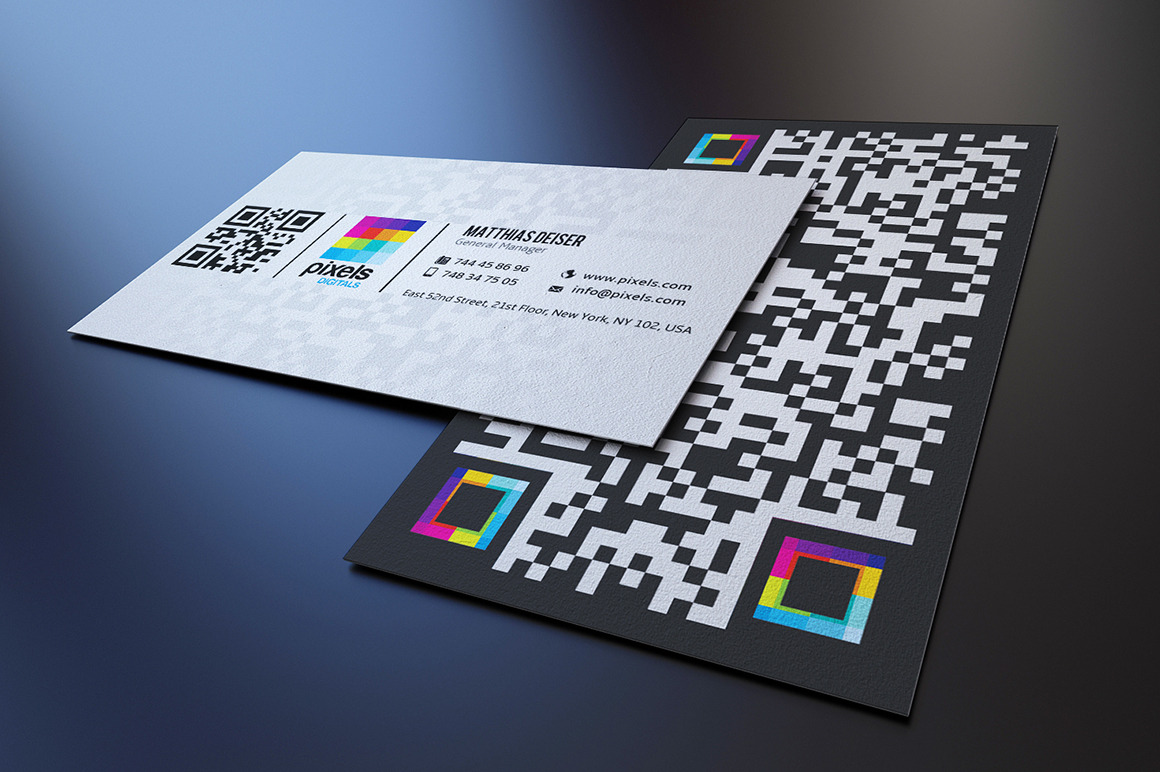
- Contact details: Complete with name, phone number, email address, website, and other information. A QR Code Business Card, Allowing People to Easily scan The Information and save it to their digital address books.
- Pre-filled emails: With the subject line and recipient already filled in, the user is ready to insert their message.
- Pre-addressed messages: Similar to the pre-filled email concept, scanning the QR code on a smartphone can bring up a new SMS with the recipient already filled in. The user simply types in the message.
Beware of Scams
One of the many benefits of QR codes is how simple they are to scan with a smartphone. However, keep in mind that the scan also initiates actions within the device. There is an element of risk because the human eye cannot see what the code contains.
One of the most common actions that can occur after a scan is the presentation of a weblink. But, before you click on it, consider whether the link is genuine and secure. How do you know it won’t take you to a site that might steal your personal information?
It is simple to create a QR code that will guide the scanner to a specific location. Scammers will have more opportunities as a result of this. Remember the context before scanning. Consider scanning a code on a poster that promises a prize in exchange for completing the form it unlocks. The code could lead to the installation of a malicious app that steals data.
Checking the settings on the app you use for QR code scanning is one way to add an extra layer of security. Make sure there’s a phase between scanning and the action you want to take so you can choose what happens next. Make it, for example, present you with a weblink that you must click on instead of taking you straight to the website.
However, if you’re uncertain, it’s probably best not to scan.