


Data loss on your iPhone can be a stressful ordeal especially for those who have important data such as photos, messages or contacts. The data loss might occur randomly such as by unintentional deletion or a software upgrade that failed. There are various factors that can lead to data loss that you should be aware of.
In such instances, you need to use a tool to recover your data. A recommended choice is no other than the FoneDog iOS Data Recovery tool. Before taking a close look at the FoneDog iPhone Data Recovery review, you should learn more about the causes of data loss and methods to secure your device.
What Are The Common Causes Of Data Loss?
Before moving on to this tool by FoneDog, let us take a close look at the usual causes of data loss on iOS devices.
- Human error. Generally, losing data on your iPhone is usually brought about by human error. There are instances in which one accidentally deletes data such as deleting a new backup for iTunes or restoring your device using an incorrect backup file.
- Failure with the software upgrade. If there is a failure on the iOS upgrade, it might result in an unusable device along with data loss. If your cable accidentally disconnects or a power failure or network issue occurs during the update process, it can lead to data corruption or instant loss of data.
- Physical damage. Another cause of data loss on your iPhone is physical damage. Some of the usual instances involve dropping your device on a hard surface. Generally, you can protect your iPhone by using a solid protective case. Luckily, damaging your device does not necessarily mean that your data is lost.
- Stolen or lost the device. When your device is stolen or lost, you could no longer access your data.
- Factory reset. If you will use the factory reset option, it erases all the content on your device. In case you accidentally used this feature and do not have an iTunes or iCloud backup, your data is lost.
- Jailbreak. For those who jailbreak an iPhone, it can result in data loss especially when you pull out the USB cable during the procedure or if it fails. In addition, jailbreaking will void the warranty which often causes your device to be stuck in DFU mode where you cannot access your data.
Ways to Secure Your Data On iOS Devices
Essentially, the best way to avoid losing data on your iPhone is protection – to backup data. There are several tips to bear in mind in preparing your data for any potential risks.
- Regularly perform iTunes backup and create several copies on your storage devices.
- If you do not have an iCloud account, it is time to create one and link it to your device. Make sure that you regularly perform iCloud backups especially before making significant alterations on your device.
- Activate the “Find My iPhone” feature so you can easily monitor or track your iPhone if it is lost or stolen. You have the option to remotely delete or lock your device to keep your personal information safe.
- Any physical damage can be lessened or prevented by using a durable protective case.

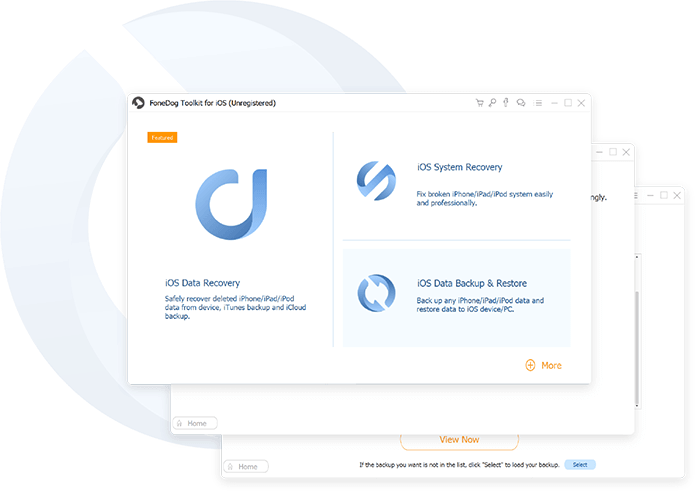
Do I Need FoneDog iPhone Data Recovery?
When you are in a predicament after losing important data on your iPhone, you need the FoneDog iPhone Data Recovery tool.
As an overview, this is a software that can help recover lost or deleted data from your iPhone. Whether you lost your text messages, call logs, contacts, photos, voicemails, videos, WhatsApp and others, you can utilize this tool to recover your data efficiently.
Generally, the tool is safe to use since it ensures that any existing data on your iPhone will not be overwritten. The software provides you with three methods to choose from to recover your data, whether using the iTunes backup file or iCloud backup file or directly from your device even if there is no backup available.
By using this recovery tool by FoneDog, you are guaranteed the highest success rate in recovering any deleted or lost data from your device. If you want to try out this tool, simply download and install on your Mac.
Methods On How To Recover Data Using FoneDog iOS Data Recovery
Once you have downloaded and installed the FoneDog iOS Data Recovery tool, you can choose between 3 methods to recover lost data.
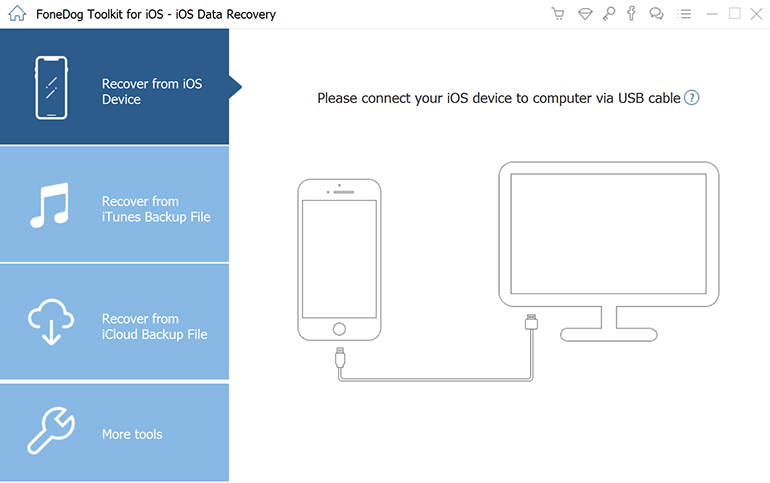
Directly from your iPhone
- Open the software on your computer and link your iPhone using a USB cable. Select the option “Recover from iOS Device” on the left tab and tap on “Start Scan”.
- After tapping on the “Start Scan” button, the software will initiate the scan on your iOS device for any lost data. The process might take a few minutes which is based on the number of files present on your device.
- You have the option to select all the data or only some files to be restored. After selecting the data to recover, tap on the “Recover” button and choose a path where your recovered data will go. The program will restore data to your computer in a safe and efficient manner.

Using iTunes backup
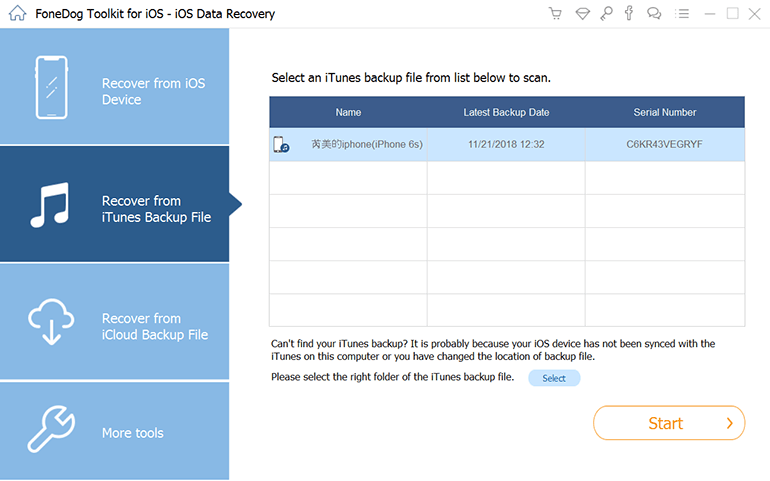
- After opening FoneDog iPhone Data Recovery on your computer, choose the “Recover from iTunes Backup File” option.
- At this point, the software will check for all available iTunes backup files on your computer and present them in a window. Simply select the data that you need and tap on “Start Scan” to initiate the scanning for iTunes backup files.
- Wait for a few minutes since the software extracts all data from the iTunes backup file. Once it is completed, all the data that has been scanned including Contacts, Photos, and Messages are displayed in categories on the left side of the interface. You can check out each of these before the recovery process. Mark the files that you want to recover and tap on the “Recover” button at the bottom part of the screen.

Using iCloud backup
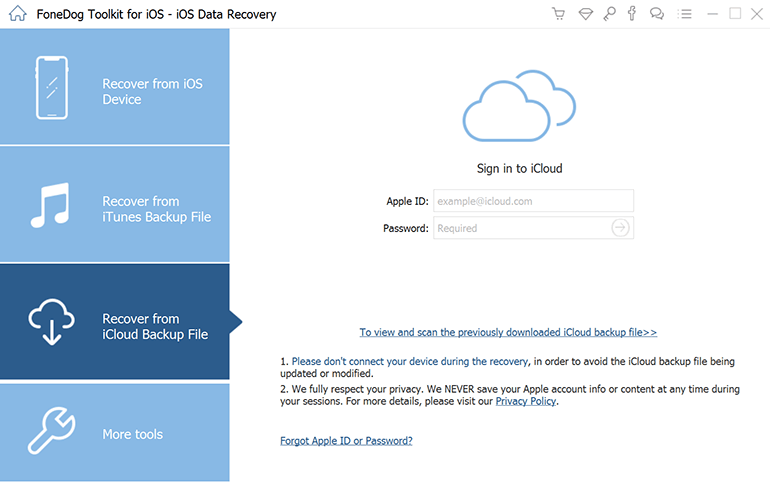
- Open FoneDog iOS Data Recovery and choose the “Recover from iCloud Backup File” option on the dashboard.
- On the interface, you will see the iCloud log. Key in your iCloud account and password. Rest assured that the software will protect your information and privacy.
- Once you are logged into your iCloud account, the program will check for all iCloud backup files available. Select one where you are going to retrieve data and tap on the “Download” button.
- The scan will complete in just a few minutes. Once it is completed, you must check out all data in your iCloud backup which includes contacts, videos, messages, call logs, photos and more. You can view them individually and check on those that you want to recover. Once you are done with selecting, tap on the “Recover” button to start the process of restoring data to your computer.

Let’s Wrap It Up
When it comes to lost data on your iPhone, you will never go wrong with the FoneDog iOS Data Recovery tool.
Generally, the tool is easy and simple to use. With the steps discussed above, you can effortlessly recover all your lost or deleted data with or without backup. This tool ensures a fast and highly-efficient recovery process with just a few clicks on your mouse.